
Bulk actions let you make the same change across a selection without opening each record.
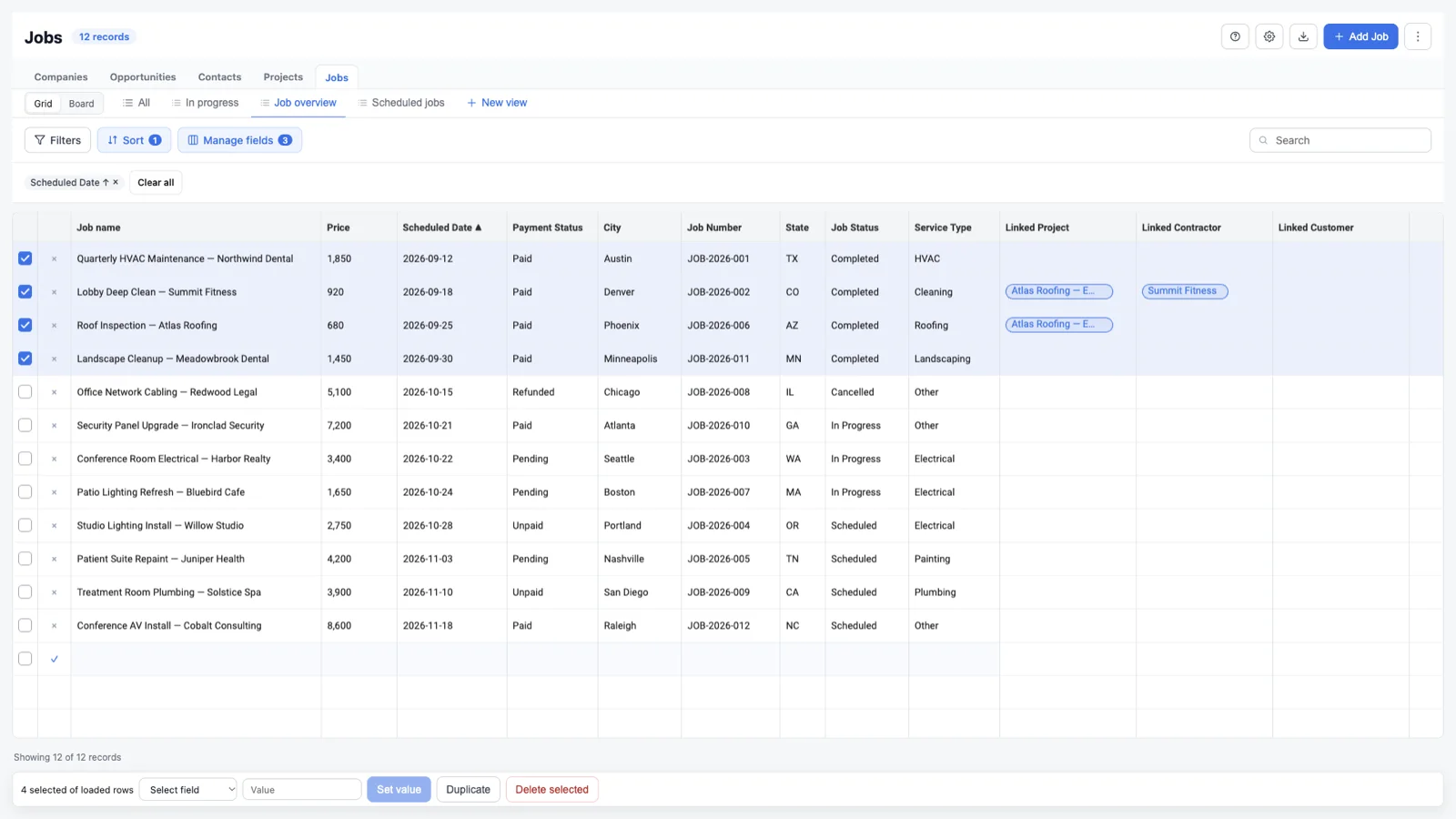
Update a field
- Select the rows you want to change.
- Choose the field.
- Enter the new value.
- Choose Set value.
- Wait for the progress indicator to finish.
GridLane applies the change row by row. Failed rows are reverted and reported. A successful update can be reversed from the undo toast.
Duplicate records
Select rows and choose Duplicate. Duplicate copies the current properties into new records. Review the results before continuing, because identifiers and required fields may need adjustment.
Delete records
Select rows and choose Delete selected. Confirm the deletion when prompted. Bulk deletes can be undone from the toast, but you should still review the selection before confirming.
Undo
After a bulk update or delete, an undo toast appears. Choose Undo to reverse the last bulk action. If you dismiss the toast, the action remains applied.
Selection scope
Bulk actions apply to the selected loaded rows. Search and filters do not change what the bulk action means: only checked rows are updated. Use Load more if the rows you need are not in the current grid yet.