Agency settings apply at the company level and affect the whole agency workspace.
Plan
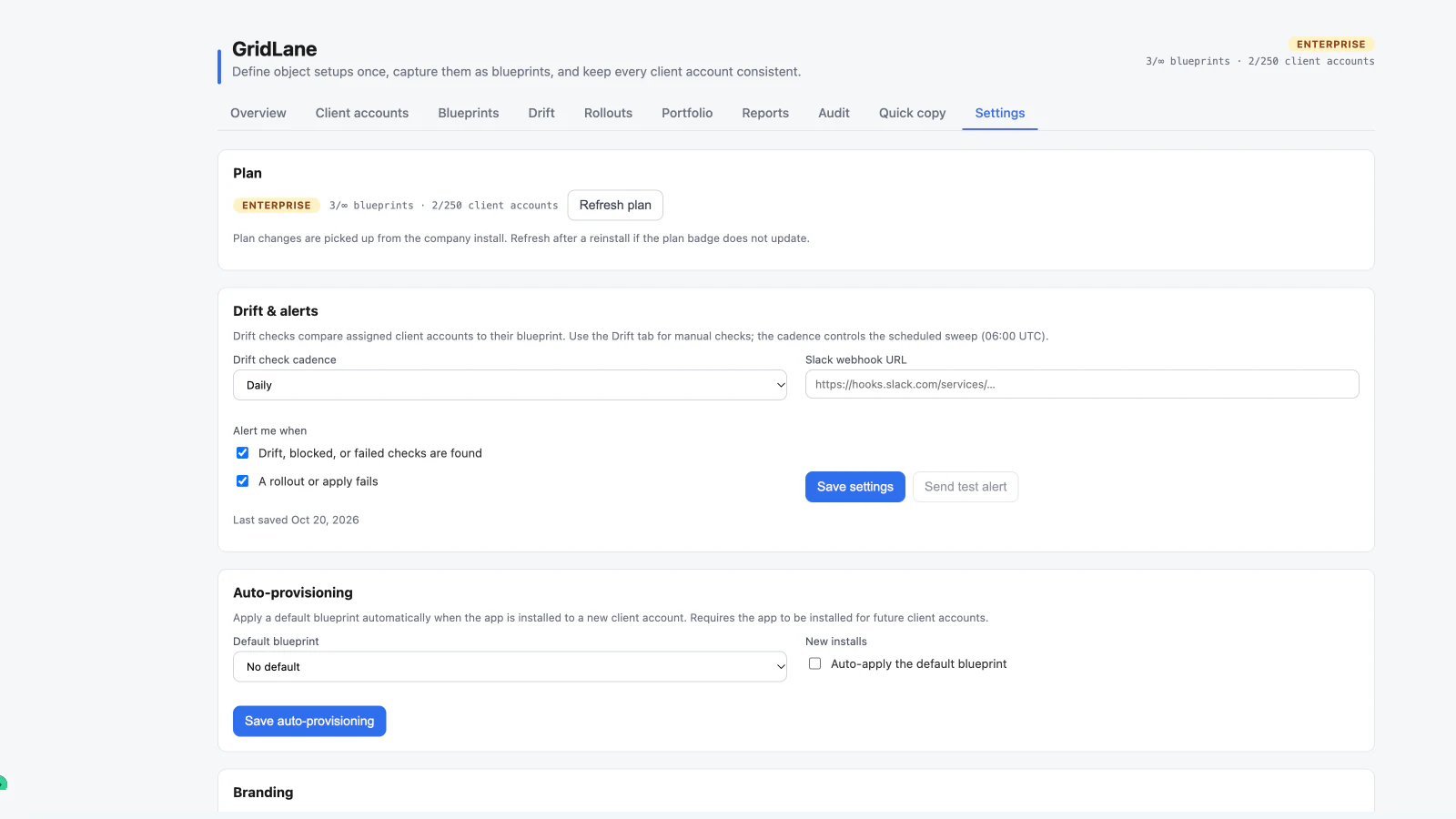
The Settings panel shows the current plan and usage. If you changed plans in the Marketplace, choose Refresh plan to pull the latest entitlement state.
Views
Settings → Views groups account-wide saved views into Grid views and Board views. Each section shows the view count, sharing state, and default status. Use it to share, privatize, set a default, or delete a view.
Drift and alerts
- Drift cadence controls scheduled checks. Options are off, daily, or weekly. Scheduling is available on Pro and Enterprise.
- Slack alerts send a notification when drift, blocked checks, or failed rollouts need attention. Slack alerts are available on Pro and Enterprise.
- Send test alert confirms the configured Slack webhook is working.
- A failed scheduled check or rollout can post to the same channel.
Auto-provisioning
Enterprise plans can apply a default blueprint when GridLane is installed to a new client account.
- Choose a default blueprint.
- Enable auto-apply for new installs.
- Confirm the feature is enabled.
Auto-provisioning requires the app to be installed for future client accounts and is subject to the same add-only deployment rules as a rollout.
Branding
Enterprise plans can customize the agency console and grid branding with:
- Display name
- Logo URL
- Accent color
Branding is applied to the agency-level experience. Customer records and client-account data are not changed.
Account and plan access
Settings are available to agency owners and admins. A user without the right role may see the panel but cannot save restricted settings. GridLane respects the HighLevel user and permission context and applies its own access rules where configured.