
GridLane separates fast portfolio visibility from detailed reporting and audit history.
Portfolio
The Portfolio tab shows the current state of the managed client accounts, including:
- Client-account count
- Compliance percentage
- Accounts needing attention
- Rollout and check activity
- Blueprint health
- Job failures
Portfolio insights are available on Pro and Enterprise.
Reports
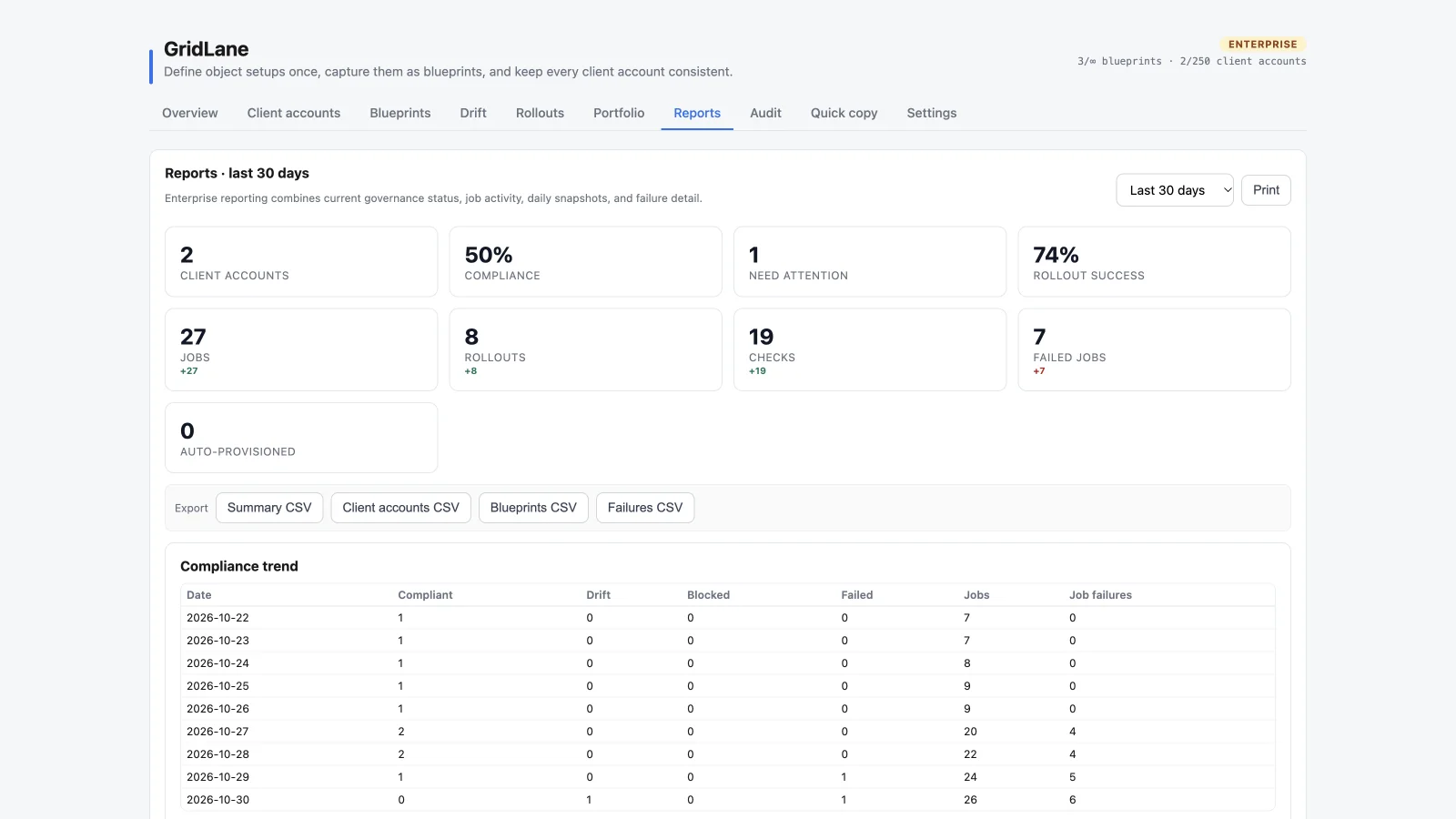
The Reports tab provides detailed reporting for a selected 30, 90, or 365-day range. Full reporting and snapshots are Enterprise features.
A report can include:
- Current client-account and compliance counts
- Rollout success and job activity
- Checks and failed jobs
- Blueprint health
- Daily compliance snapshots
- Failure detail
- Summary, client-account, blueprint, and failure CSV exports
Historical trends build up as the scheduled maintenance job records daily portfolio snapshots. A new account may show current-state numbers before it has much trend history.
Audit
The Audit tab records agency-level changes, including:
- Blueprint capture and recapture
- Rollouts
- Drift checks
- Settings changes
- Branding changes
- Client-account tag changes
- Quick copy operations
Use the date range, action, client account, actor, and detail filters to narrow the log. Enterprise plans can export audit CSV. Audit detail never includes record values or OAuth tokens.
Reporting data scope
GridLane reporting uses configuration and job data. It does not copy record values into reports. Blueprints and reports should not be treated as backups of HighLevel records.